The Linked Products feature allows you to link different products together. This way if you add main product to the Front Register transction or customer order, all linked products will come with it.
To link a product, go to Catalog->Products->Edit Product->Linked Products and click "+Add Product"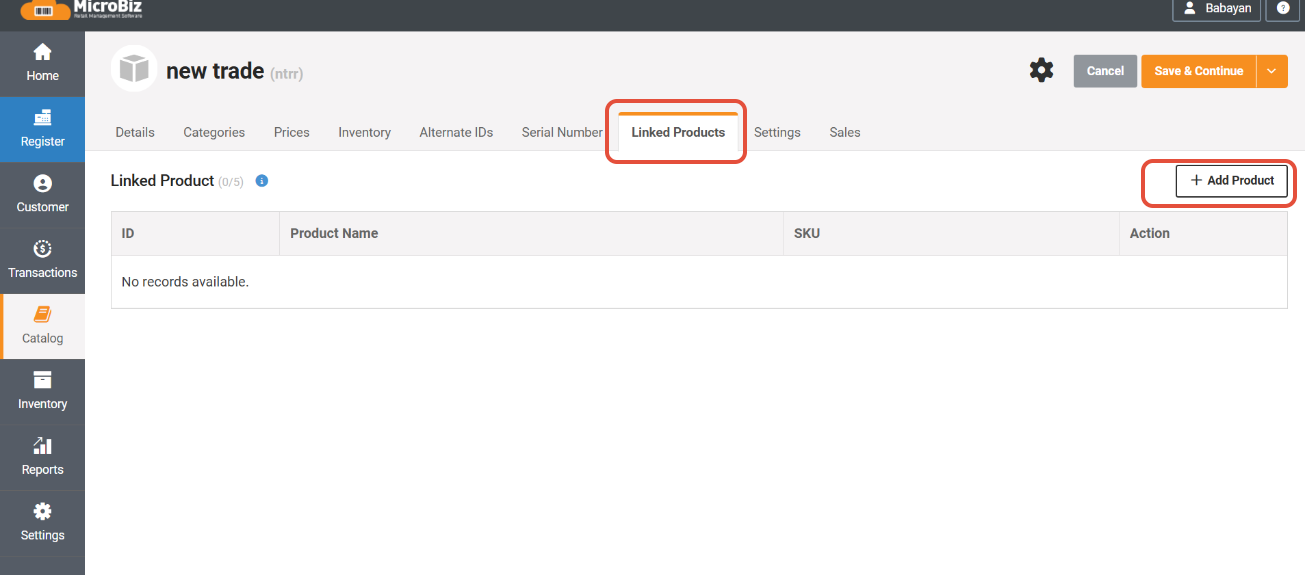
Search for the desired product and click add near it:
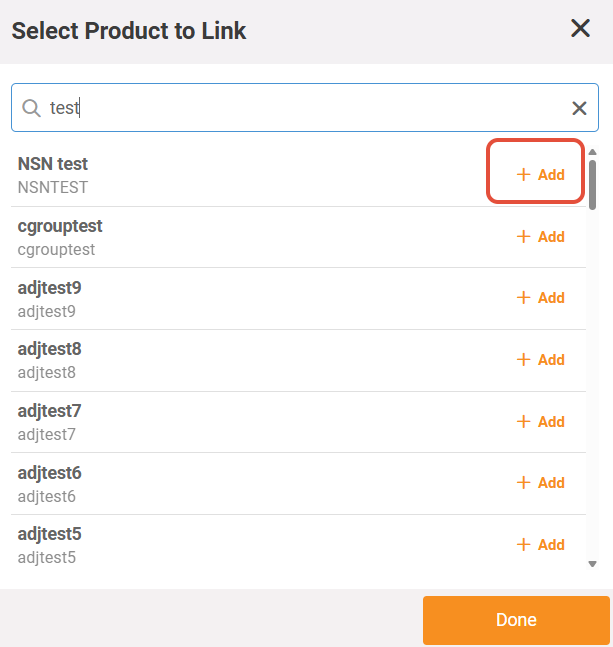
The product is now Linked to the main product.
Now you can add the product to the Register transaction or customer order with its linked product.
Example:
Soda or wine is sold with a required bottle deposit.
In this case you will create a new Non-inventory product of 'bottle desposit' and link to the main soda or wine product.
Settings Required
None. Linked product tab appears by default in the product record.
Rules and Limitations
1) A product can not be both linked and have also a linked product itself.
2) One product can have maximum of 5 linked products.
3) Be sure to consider the Product Tax Class on the linked product - is the linked product taxed at the same rate as the main product?
4) All products can be individually edited and removed in the Front Register without changing anything for the parent or other linked product.