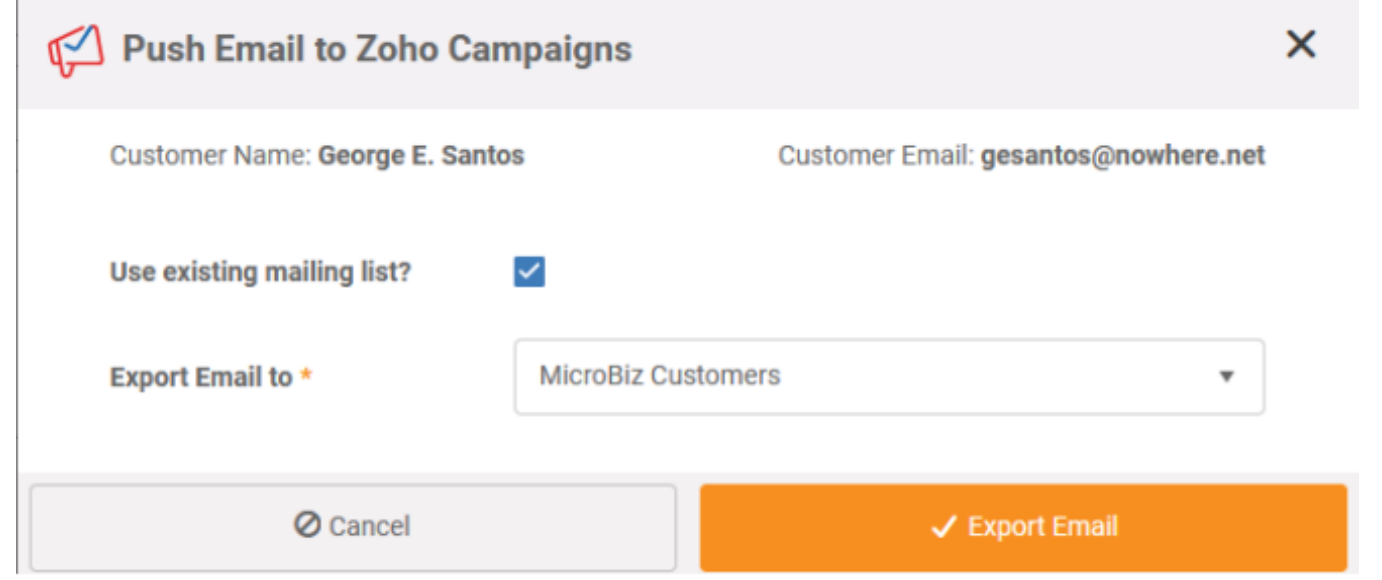
This integration allows user to send email addresses to Zoho Campaigns.
Features we suggest:
-We send the default billing address email which is entered in the customer record.
-You can define a default campaign or create a campaign from MicroBiz for all your MicroBiz
customers.
-You can select among all your campaigns when sending emails
emails can be sent one at a time or in bulk
Connecting MicroBiz to Zoho Campaign
From Back Office >> Settings >> Integrations click on Zoho Campaigns
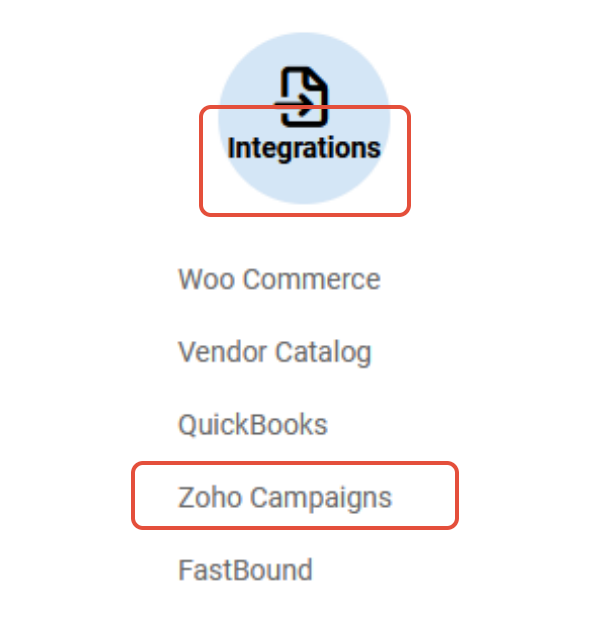
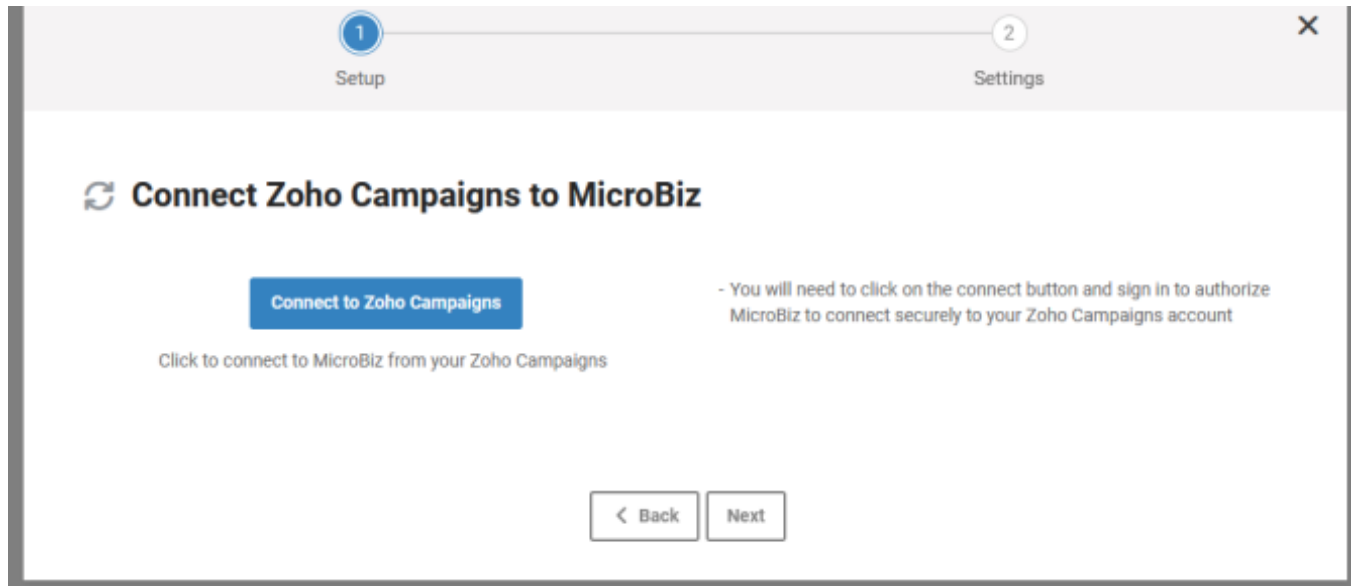
Click on Setup and then click Connect to Zoho Campaigns
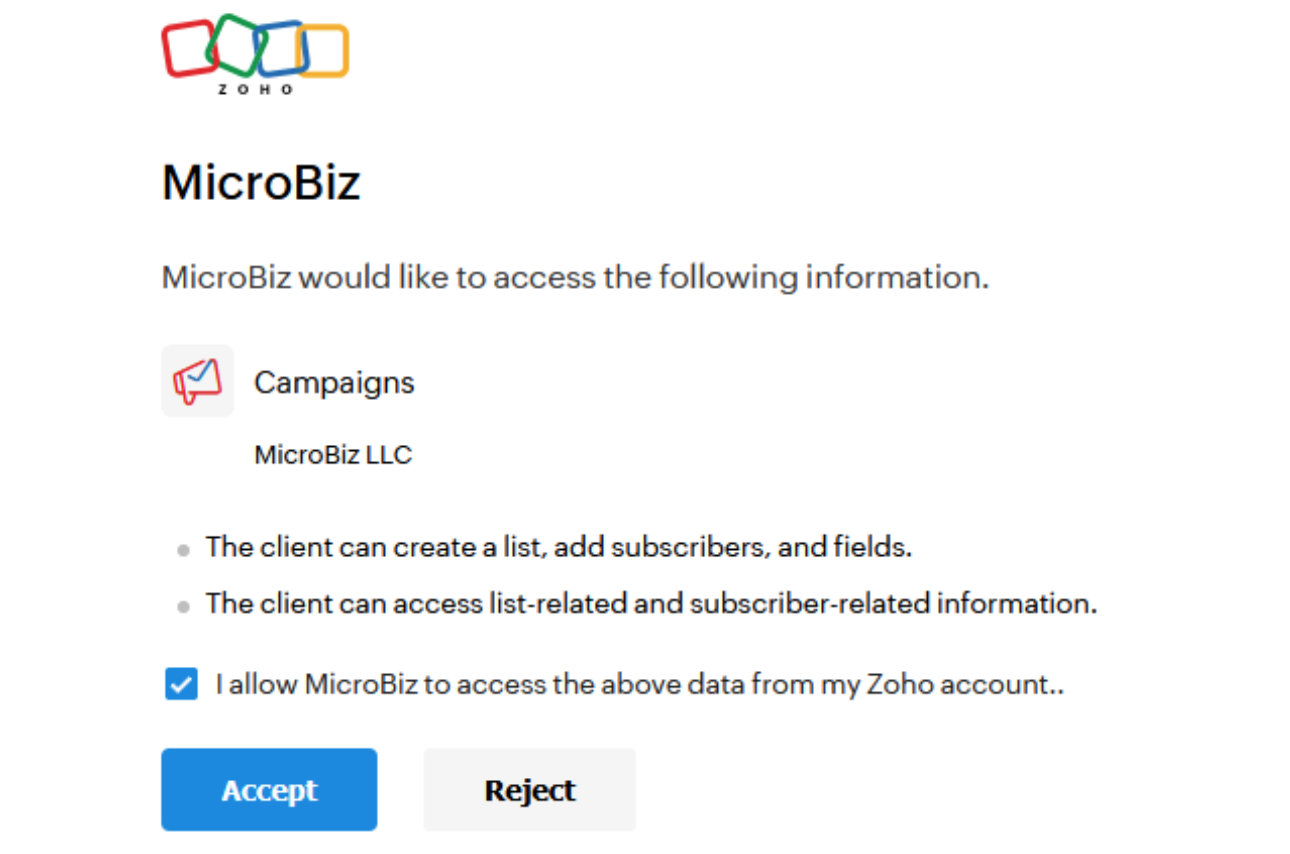
Then check ‘Allow MicroBiz to Access the above data and click Accept.
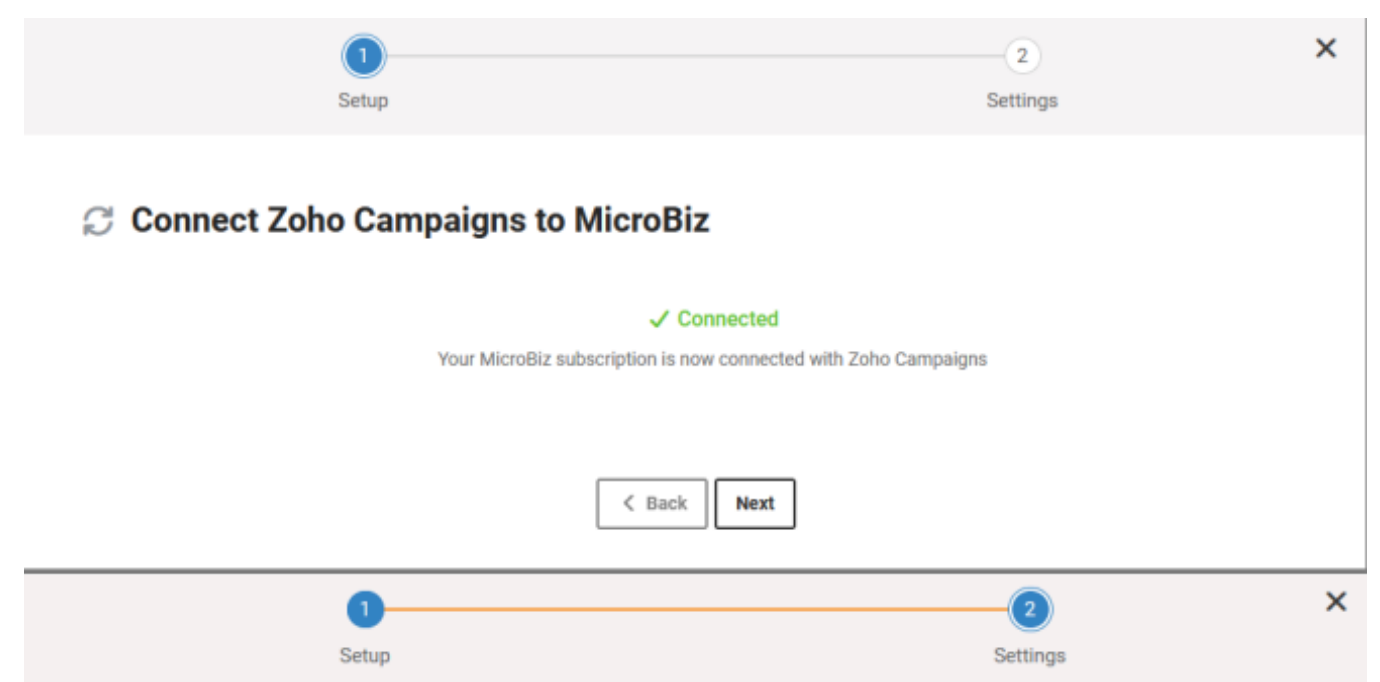
You are connected!
Click Next to enter your default settings
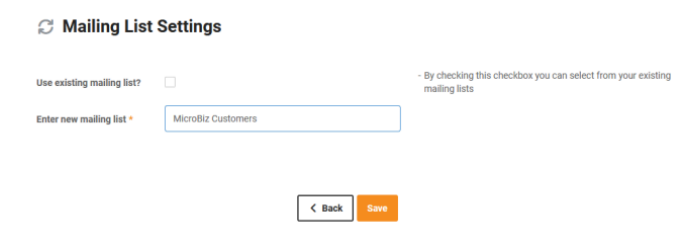
You can choose and existing Zoho Mailing list as your default or create a new one
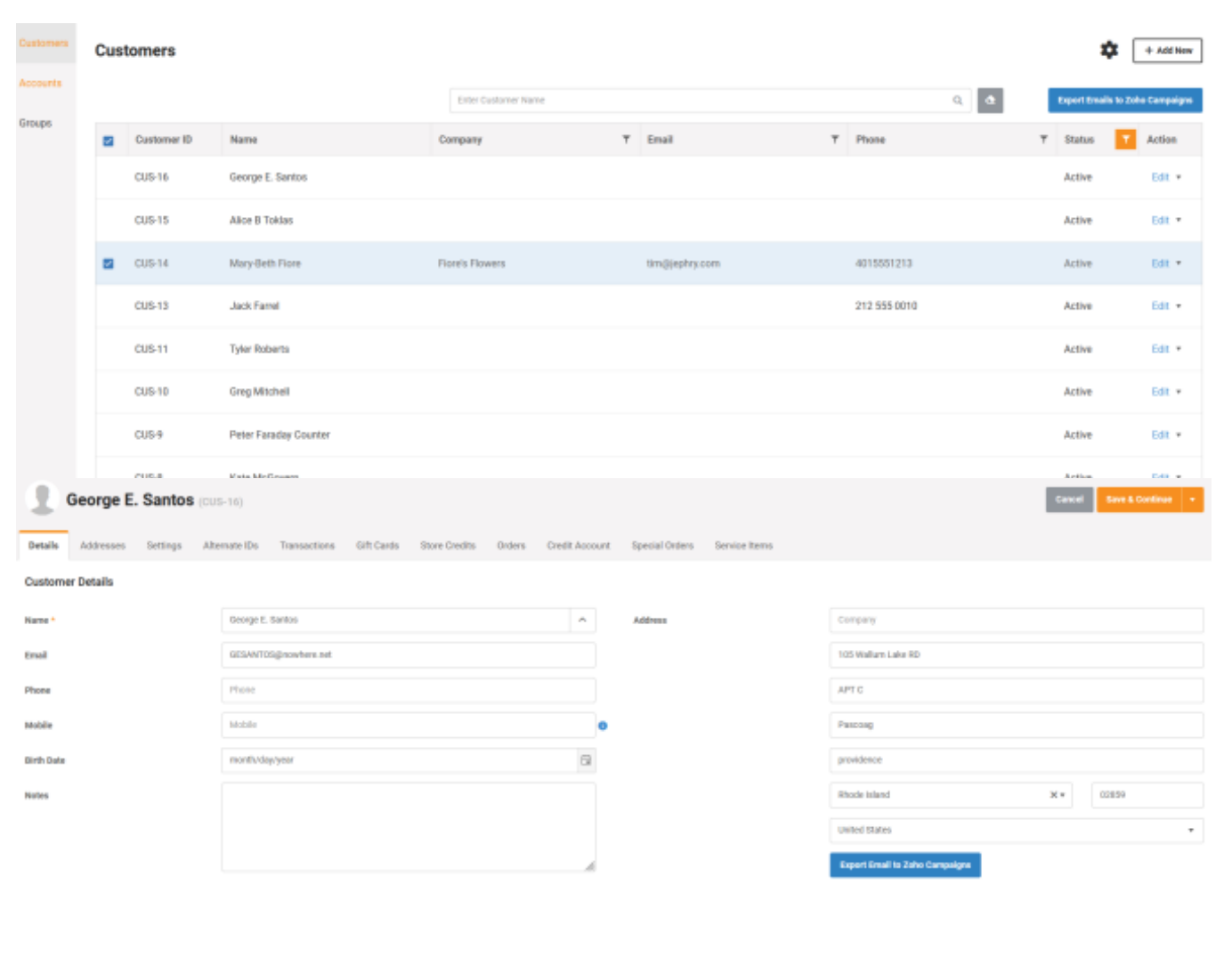
Sending customer emails to Zoho
You can send customers in bulk from Manage customers
You can send them from the edit customer screen – once a customer is saved with a valid email address
Send email will default to the default mailing list but you can always select a different one or create a new mailing list