MicroBiz Cloud allows users to email customer order directly to the customers.
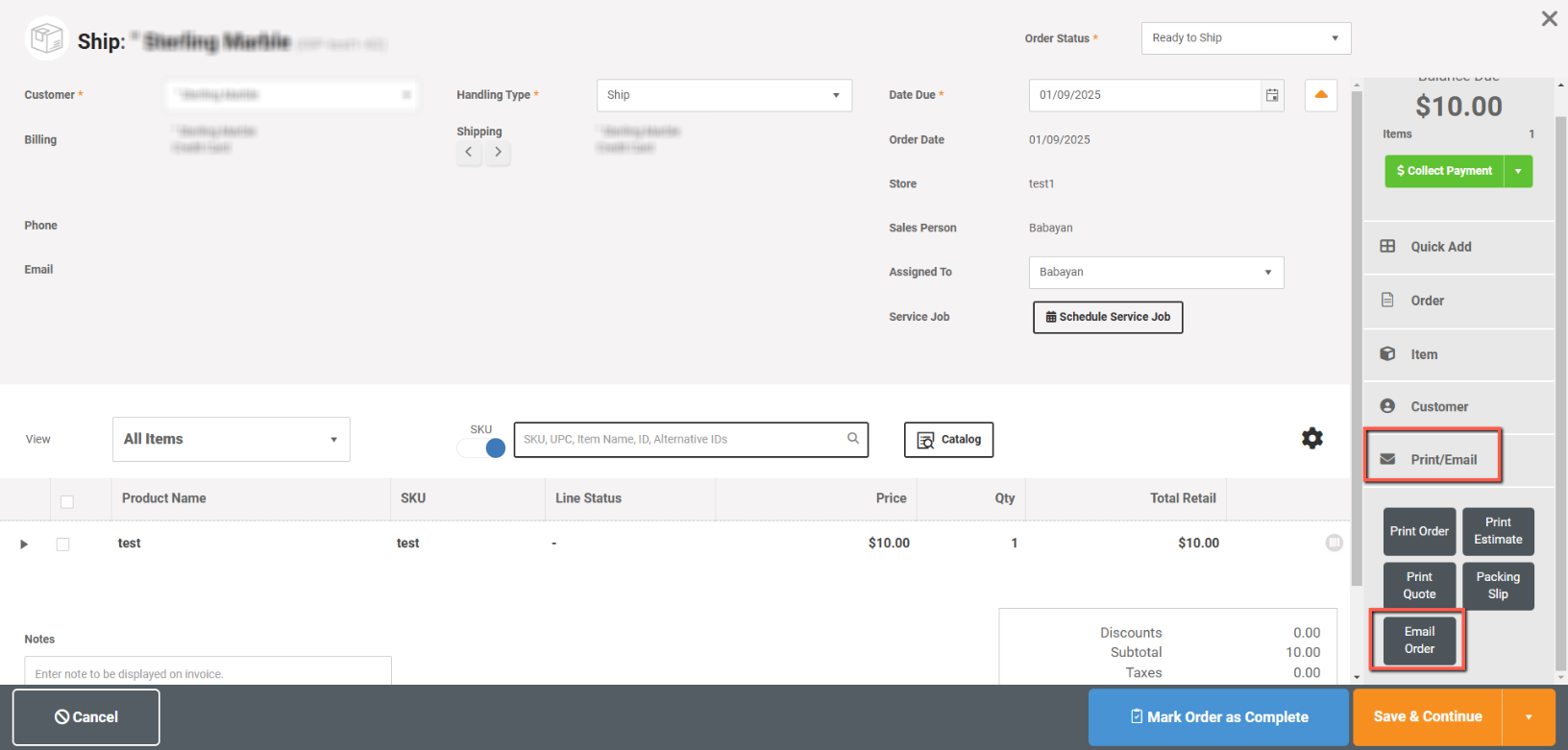
To email customer orders, from the order edit page select Print/Email->Email Order
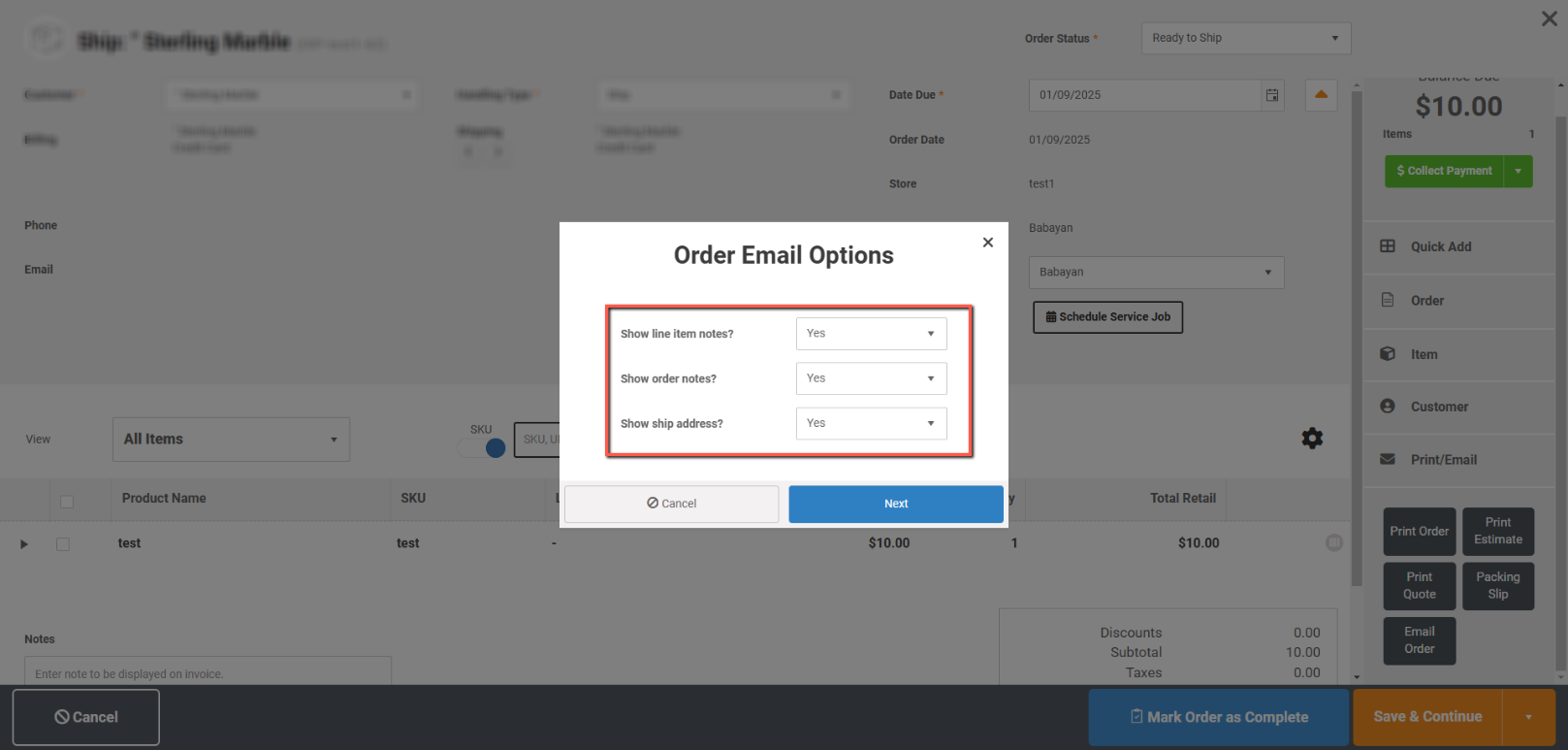
Select which fields you want to show or not and click Next:
In the next page enter the email of to send, Cc, Subject and message. The order will be automatically attached in the email.
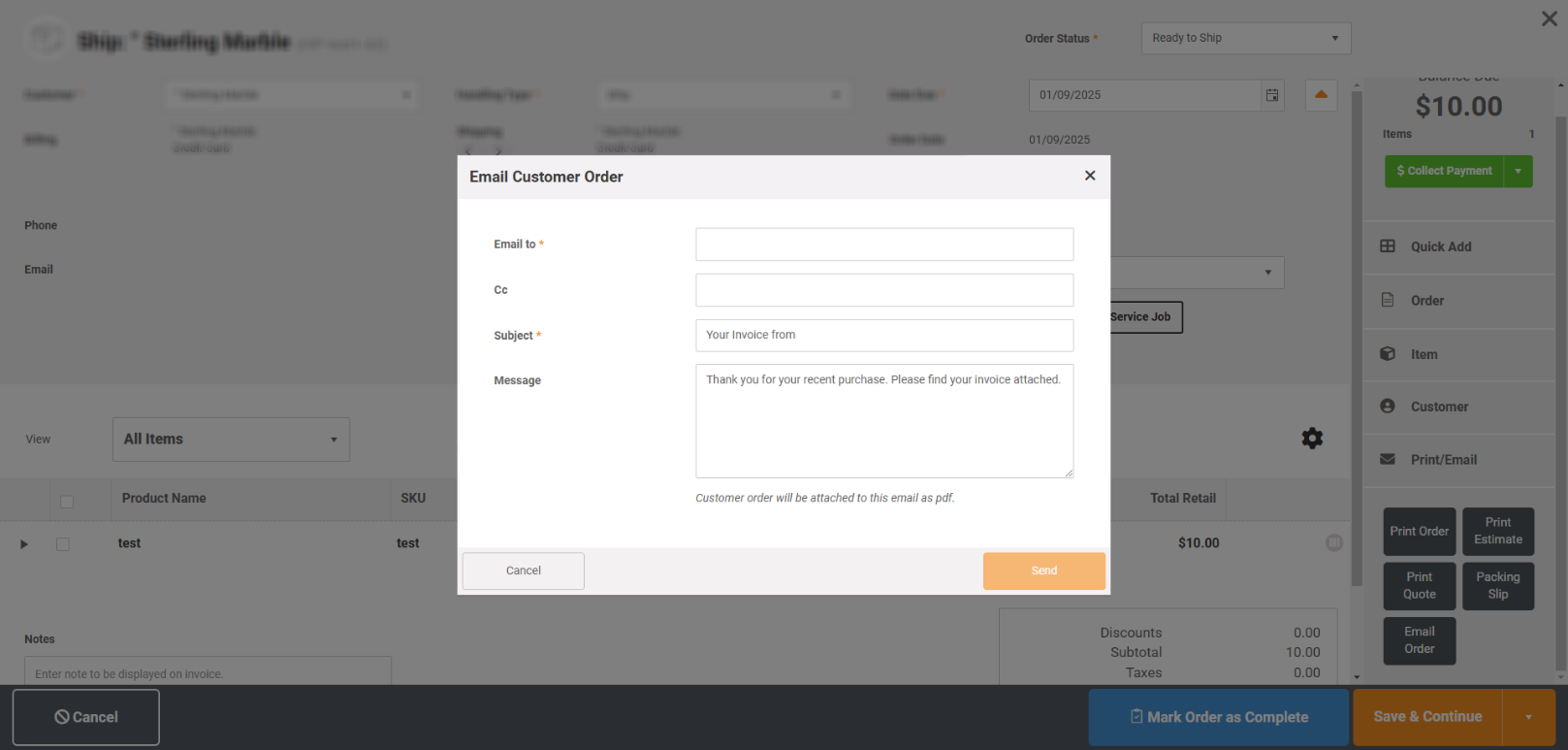
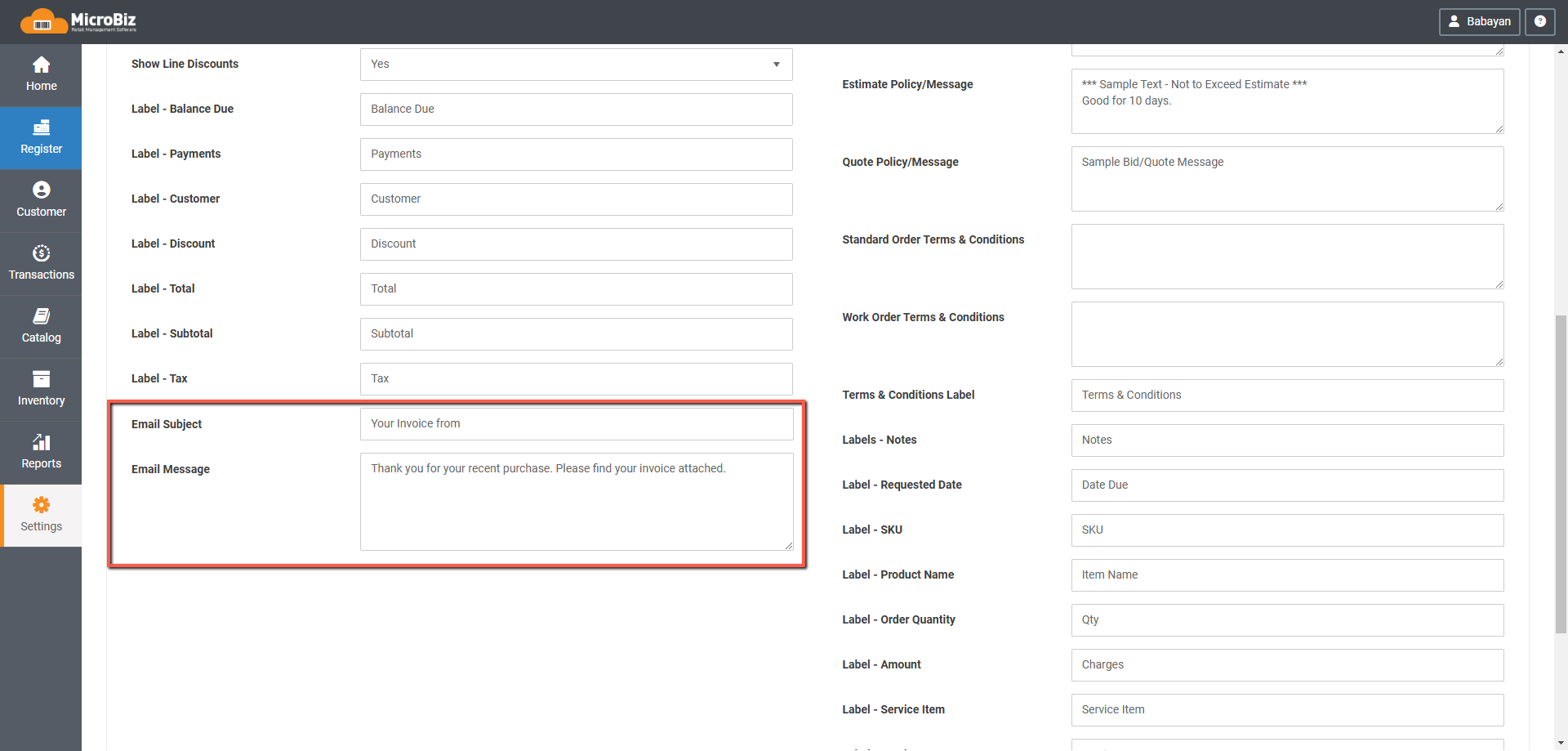
You can also create a default Subject and Message from Settings->Advanced Settings->Order Settings: